 How to Download CS 1.6 Origin – Original Counter-Strike 1.6 Guide
Counter-Strike 1.6 remains one of the most iconic first-person shooters in gaming history. Originally released in 2003 as the definitive version of the classic Counter-Strike mod for Half-Life, it continues to attract players who value pure skill-based gameplay, tight movement, and legendary maps such as de_dust2, de_inferno, and de_aztec. When people search for “CS 1.6 Origin” or “original Counter-Strike 1.6,” they usually want the clean, unmodified client that stays true to the classic look, models, sounds, and feel — without heavy custom skins or modern overhauls.
This comprehensive guide explains how to download and install the original CS 1.6 safely and easily. We cover both the official Steam method and free community options, with special focus on the original edition available at cybersports.lt. The portal offers multiple clean builds, including a dedicated original English version, making it a practical destination for players seeking the authentic experience.
What “CS 1.6 Origin” Means
The term “CS 1.6 Origin” (or original edition) refers to a client that preserves the classic 2003-era design as closely as possible. It features the original player models, weapon models, hand models, default sounds, standard HUD, classic menu layout, and default configuration files. These builds typically support protocols 47 and 48, include a working server browser, and often come with bots for offline practice.
Unlike heavily modified “themed” editions that replace models with CS:GO assets or add custom interfaces, the origin version prioritizes authenticity. You can find exactly this kind of original build on cybersports.lt’s original download page, which emphasizes standard English menus, original design, and classic bots controlled by the H key. Another excellent option is the Cs 1.6 Classic page that focuses purely on original assets.
Official Method: Buying and Downloading via Steam
The safest and fully legitimate way to obtain Counter-Strike 1.6 is through Steam. On the Steam store the game is listed simply as “Counter-Strike.” It is inexpensive and frequently goes on sale for under one dollar.
To get it officially:
1. Create or log into a Steam account.
2. Open the Steam client and go to the Store.
3. Search for “Counter-Strike.”
4. Select the original Counter-Strike (not Counter-Strike 2 or Counter-Strike: Source).
5. Purchase and install the game from your library.
Steam delivers automatic updates, VAC protection on official servers, and full friends-list integration. This remains the recommended route for maximum security and long-term support. However, many players still prefer free standalone non-Steam clients for offline use, LAN parties, or specific community servers. For those who want the free original experience, the best place to start is cybersports.lt.
Free Original Downloads and Why Cybersports.lt Stands Out
Community portals have provided free non-Steam installers of CS 1.6 for many years. These standalone clients do not require a Steam account. One of the more useful sources for an original English edition is cybersports.lt.
On the site you can locate several relevant pages:
• The main original Counter-Strike 1.6 download featuring classic models, English language, standard config, and bots.
• A classic edition focused on pure original assets without extra themes.
• An original latest version with updated patches while retaining the classic feel.
• A version with included bots for offline practice.
• A general download guide that walks users through the process.
• Additional helpful pages such as Safely Download Counter-Strike 1.6 and Cs 1.6 Guide.
These pages typically describe protocol 47/48 support, protection against common annoyances (auto-connect, adware), working server search, and compatibility with modern Windows versions. Direct download links and torrent options are usually provided, with relatively small file sizes (around 150–200 MB for the core original client).
Step-by-Step: Downloading the Original Version from Cybersports.lt
1. Visit the main site at https://www.cybersports.lt/ or go directly to the original edition page.
2. Read the description to confirm it is the original English build with standard models and bots.
3. Choose either the direct download link or the torrent file. Direct links are usually faster on modern connections.
4. Save the installer to a convenient location such as your Desktop or Downloads folder.
5. Before running the file, right-click it and scan with Windows Defender or your preferred antivirus. Community builds from established portals are generally clean, but scanning is always good practice.
6. Run the installer. If Windows SmartScreen appears, select “More info” and then “Run anyway” only after confirming the source.
7. During installation, choose a folder outside of Program Files (for example C:\Games\CS16 or C:\Counter-Strike 1.6). This avoids permission problems when the game writes configuration files.
8. Complete the installation. Most installers create a desktop shortcut that launches the game correctly (hl.exe with the -game cstrike parameter).
You can also explore the classic version page or the bots-included version if you want slight variations while staying close to the original experience. For the newest patches check the original latest version page.
Installation Tips for Modern Windows
On Windows 10 and Windows 11 the classic GoldSrc engine sometimes needs minor adjustments:
• Right-click the game executable or shortcut → Properties → Compatibility tab → try Windows 7 or Windows XP (Service Pack 3) mode.
• Run as administrator if the game has trouble writing files.
• Install the latest Visual C++ redistributables and the DirectX End-User Runtime if the game fails to start.
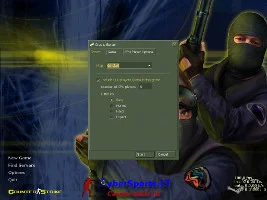
After the first launch, open Options and set your preferred resolution, renderer (OpenGL or Software), and brightness. Enable the developer console in the keyboard settings if it is not already active. More detailed settings advice can be found on the Cs 1.6 settings page.
System Requirements
Minimum
• OS: Windows XP / Vista / 7
• Processor: 500 MHz
• RAM: 128 MB
• Graphics: DirectX 7 compatible
• Storage: approximately 500 MB
Recommended
• OS: Windows 10 or 11
• Dual-core processor
• 2 GB RAM or more
• Any modern DirectX 9 graphics card
• 1 GB free space (SSD preferred)
The game runs smoothly even on modest hardware, which is one reason the original client remains popular. Dedicated pages such as Cs 1.6 for Windows 10 and cs 1.6 for windows 11 offer additional compatibility tips.
Playing Online and Offline
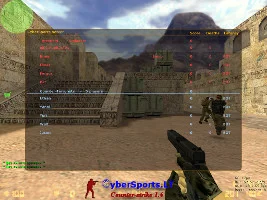
Once installed, open the in-game server browser. Non-Steam original clients rely on community master servers that list active servers. Add servers you like to your Favorites list for quick access. You can find more information about servers on the Cs 1.6 SERVERS page and the MasterServer page.
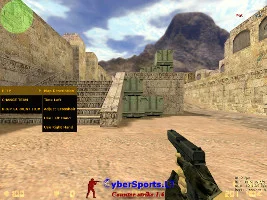
For offline practice, most original builds from cybersports.lt include bots. Press the H key (or the key listed in the page description) to open the bot menu and add AI opponents to a local game. This is especially useful for learning maps or practicing aim without an internet connection. See the dedicated Cs 1.6 with Bots page for more details.
Useful console commands for a smoother experience include:
• fps_max 100 (or higher)
• rate 25000
• cl_cmdrate 101
• cl_updaterate 101
Save preferred settings in a config.cfg or autoexec.cfg file inside the cstrike folder.
Safety and Best Practices
Always download from reputable community portals rather than random search results. Pages such as the original download, classic edition, and download guide on cybersports.lt clearly describe the content and features, which helps users avoid heavily modified or bundled installers.
Scan every downloaded file. Avoid any installer that tries to add toolbars or extra software. Clean original builds do not do this. If your antivirus flags the file as a potential threat, it is often a false positive common with older packed executables — add the game folder to exclusions only after verifying the source. Additional safety advice is available on the Safely Download Counter-Strike 1.6 page.
Why the Origin Version Still Matters
The original CS 1.6 offers a pure competitive experience that later titles built upon. Movement, spray patterns, economy management, and map knowledge feel distinct and rewarding. Whether you want nostalgia, a lightweight alternative to modern Counter-Strike, or a platform for improving fundamentals, the origin client delivers.
By using well-documented sources such as cybersports.lt and its dedicated original pages, players can quickly obtain a clean English original edition with bots, server browser, and classic assets. Combined with the official Steam option, everyone has a path that matches their preferences for security, cost, and authenticity.
Final Steps and Recommendations
1. Decide between the official Steam purchase and a free original client.
2. For the free route, start at https://www.cybersports.lt/ and navigate to the original download page or the classic version.
3. Download, scan, install outside Program Files, and launch.
4. Adjust settings, try bots offline, then join community servers.
With these steps you can be playing classic Counter-Strike 1.6 in a matter of minutes. The game that defined an era of competitive gaming is still very much alive, and obtaining a proper original client has never been more straightforward. Enjoy the nostalgia, practice the fundamentals, and welcome back to de_dust2.
For more options explore the full list of versions available on cybersports.lt, including the latest original version, 2026 update, and many other classic builds.